
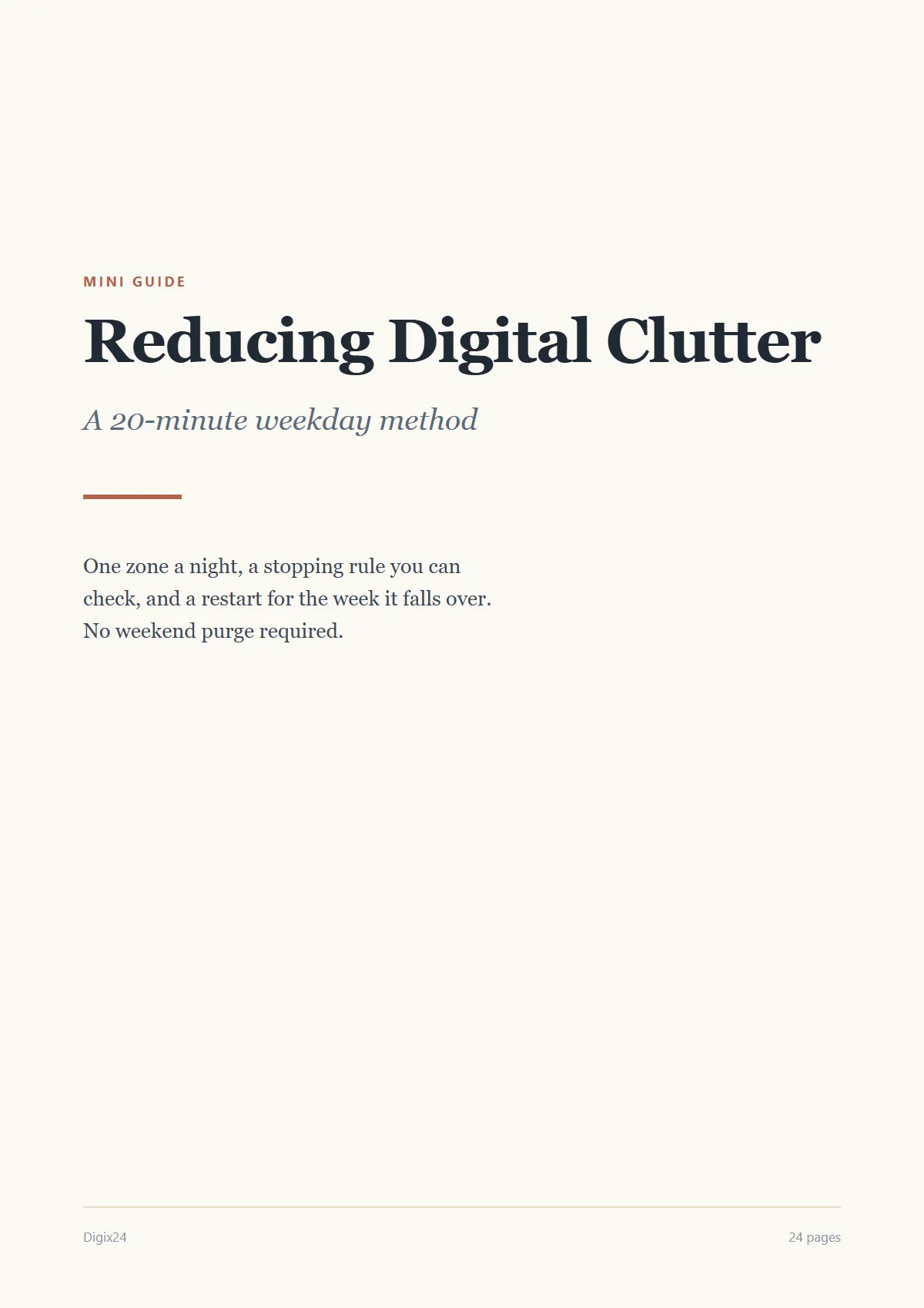
Reducing Digital Clutter: a 20-minute weekday method
Clear one zone each weeknight in twenty minutes, and keep it clear without a weekend purge.
A$19 · one payment · incl. GST
- A 20-minute session you can start on a tired weeknight
- A stopping rule, so you know when you are done
- A restart for the week it falls over
Secure checkout · Delivered by email · Refunds
Look inside
What’s included
- Format
- Pages
- 24
- Page sizes
- A4 and US Letter
- Licence
- Personal use
- Updates
- Corrections and revisions included
- Delivery
- Instant download, plus a link by email
Who it’s for
People whose desktop, downloads and inbox have quietly filled up, who have tried a weekend purge and watched it all come back, and who can spare twenty minutes on a weeknight but not a whole Saturday.
What it deliberately does not cover
- Recommending or reviewing apps and paid tools
- Backups and data recovery
- A team's shared drive or a company file policy
- Paper clutter and physical spaces
Listed so you can decide this is not for you before paying, rather than after.
About this guide
Most decluttering advice assumes you have a free Saturday and the will to spend it sorting files. This guide assumes you have neither. It gives you a method that fits into twenty minutes on a weekday evening and still gets somewhere.
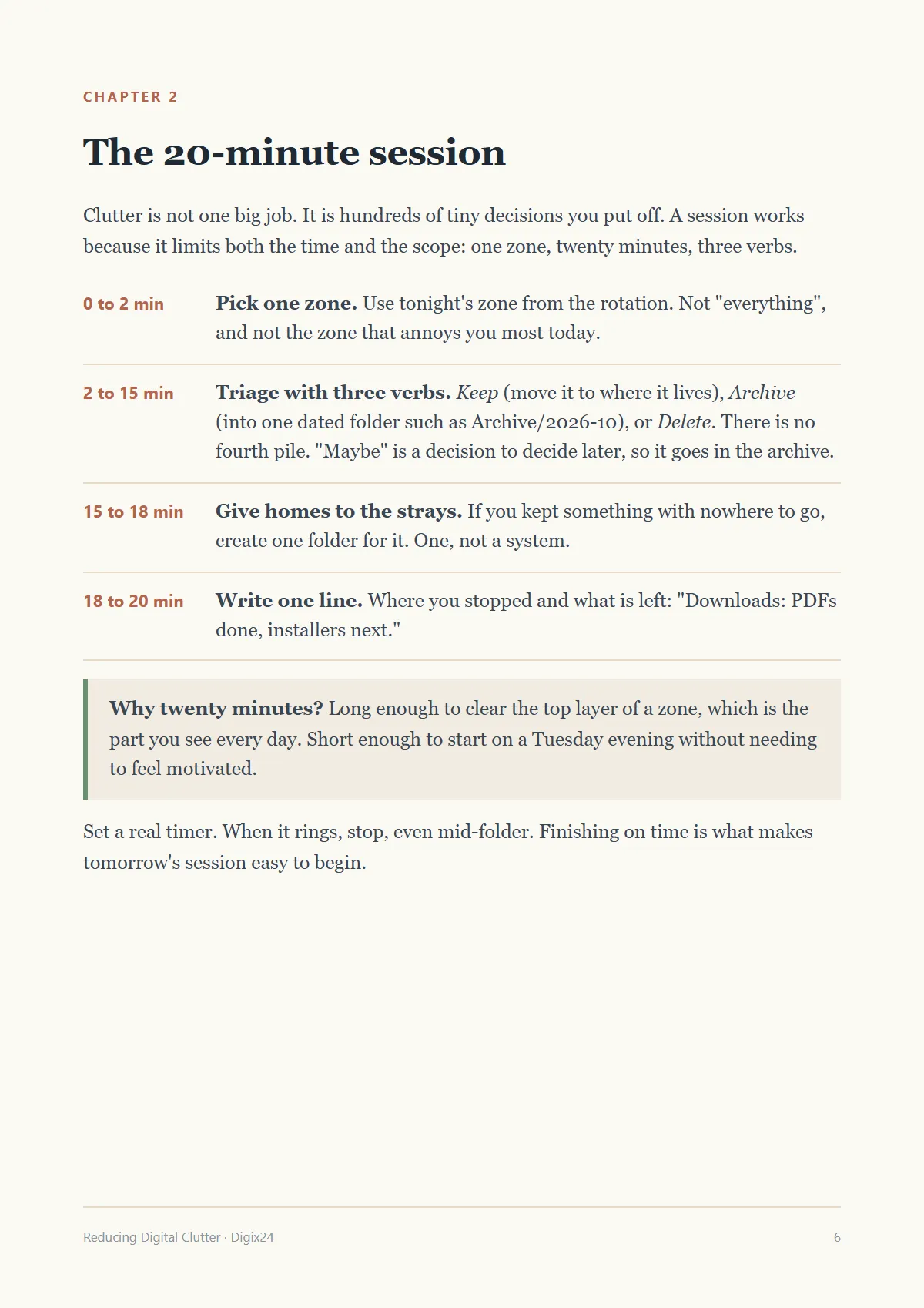
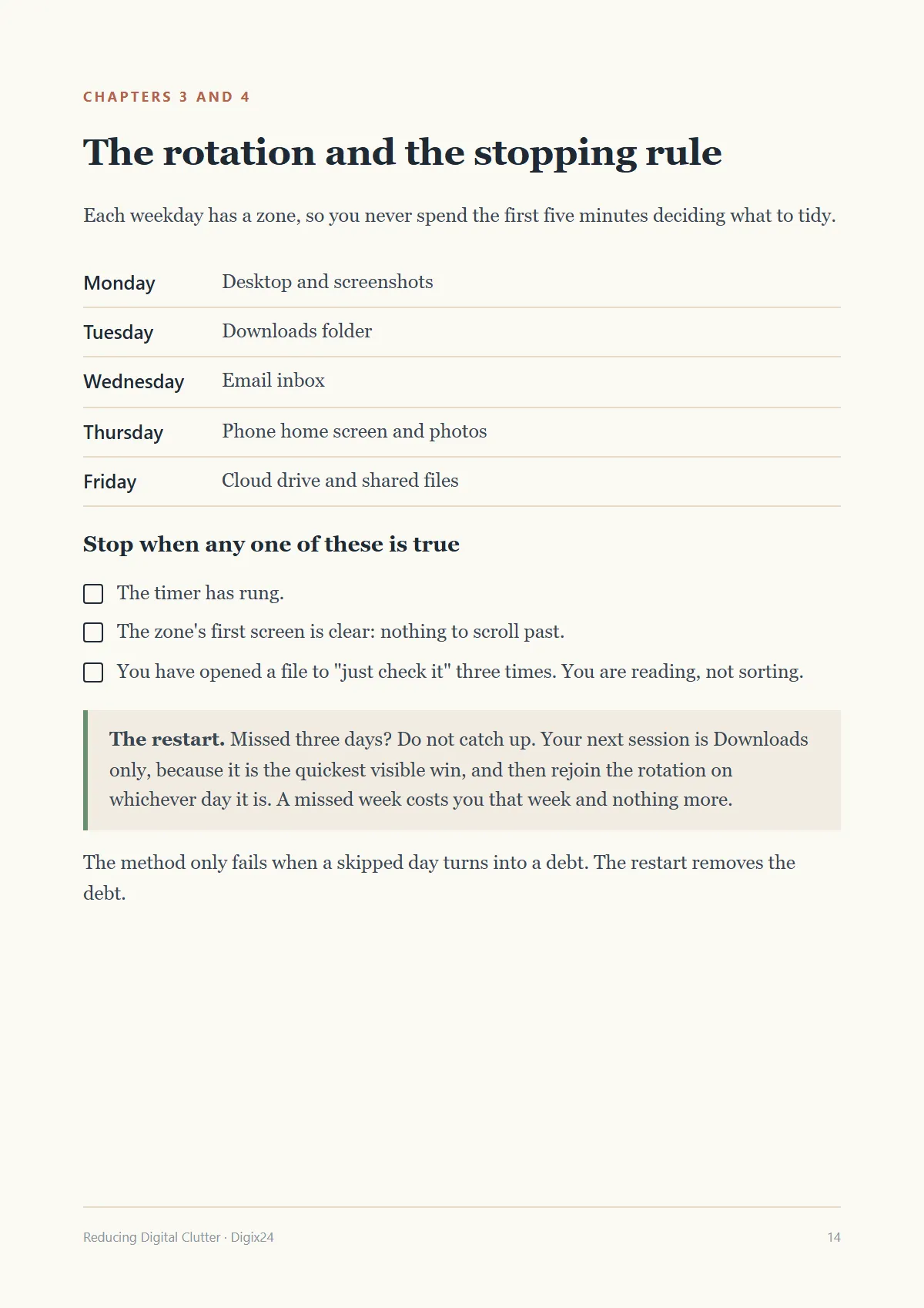
The method has three parts. A rotation gives each weekday one zone (desktop, downloads, inbox, phone, cloud drive), so you never spend the first five minutes deciding where to start. A session uses three verbs, keep, archive and delete, with no "maybe" pile, and ends with one line about where you stopped. And a stopping rule tells you when you are done for the night in terms you can check rather than feel: the timer has rung, the first screen is clear, or you have caught yourself reading instead of sorting.
The part most methods leave out is what happens when you miss a week. Here it has its own short chapter. You do not catch up. You run one Downloads-only session and rejoin the rotation, so a bad week costs you that week and nothing more.
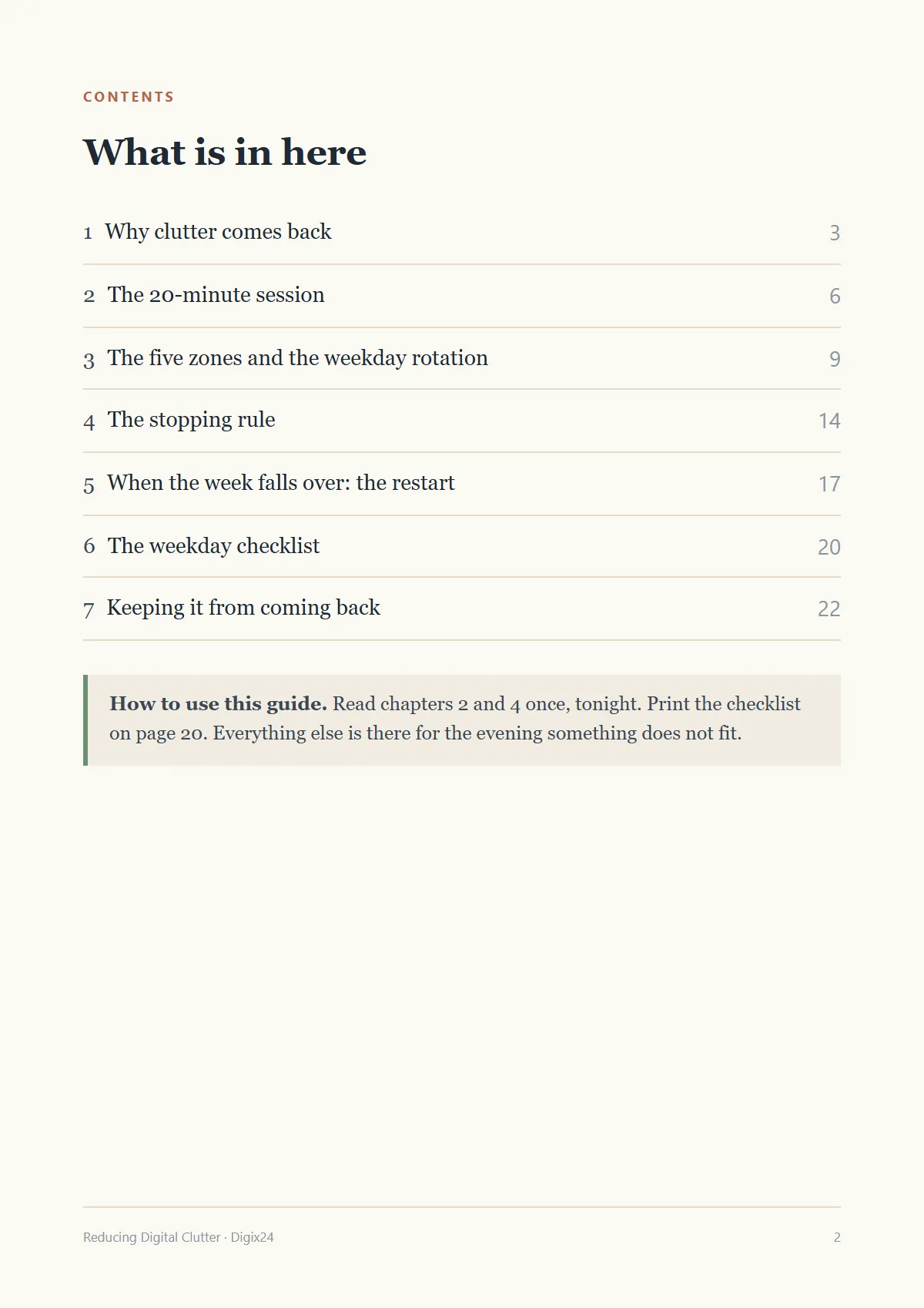
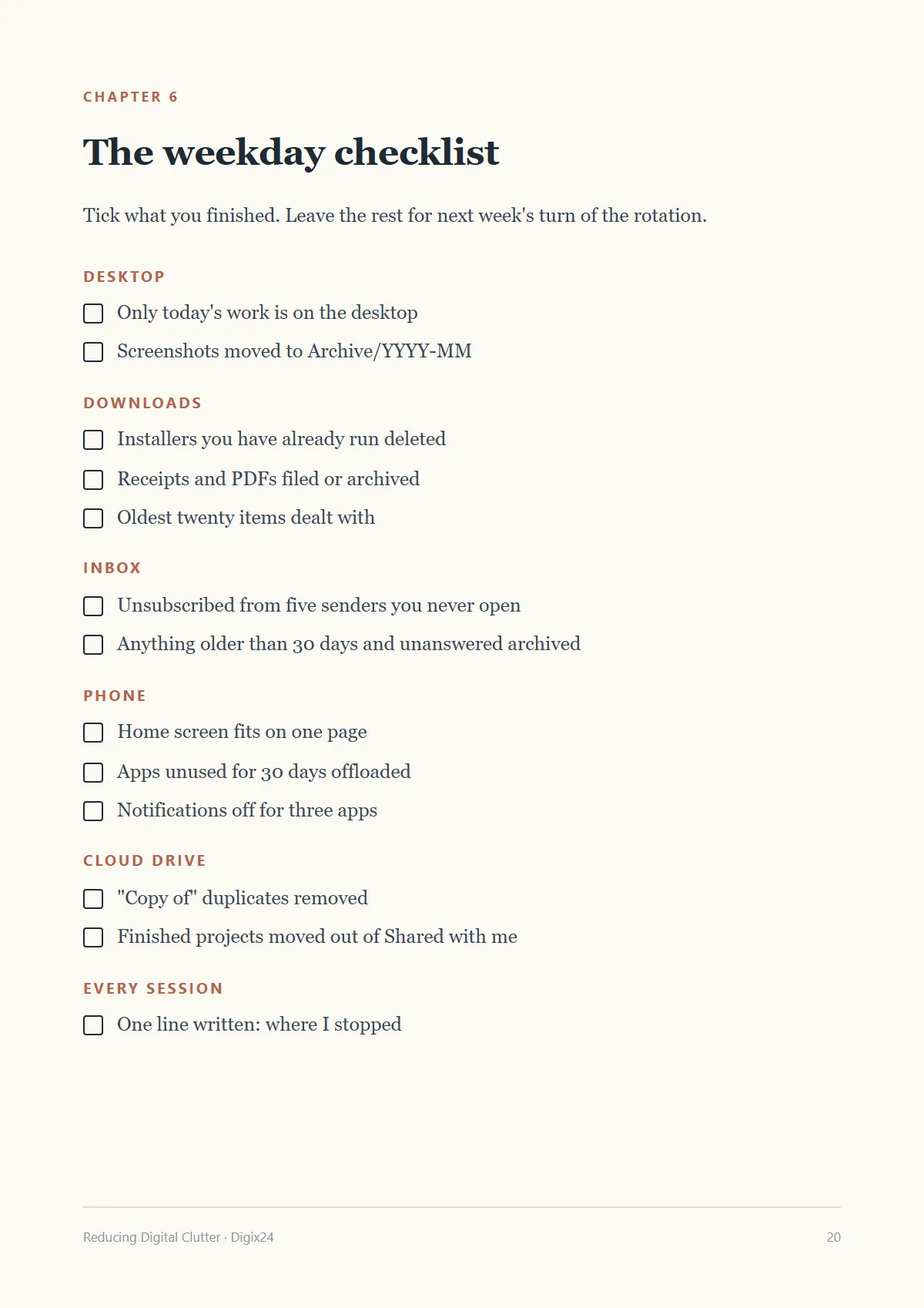
The guide is 24 pages, written to be read in one sitting and then used from the checklist on page 20. It works on Windows, macOS, iOS and Android, and with any email or cloud service, because it describes decisions rather than buttons. It does not recommend apps, and it never asks you to delete something you are unsure about: that is what the dated archive folder is for.
Questions
What if it is not what I expected?
Reply to your receipt email and we will refund you. You do not need to explain or return anything.
How do I get the guide?
Straight after payment you are taken to a download page, and the same link is emailed to you. There is nothing to install and no account to create.
Will it work on my phone?
Yes. It is a standard PDF that opens on any phone, tablet or computer. The checklist page is laid out to print on A4 or US Letter.
Can I share it?
The licence is for personal use: keep it, print it and read it on all your own devices. Please do not resell it or post the file publicly.
Do I need any apps?
No. Everything uses the folders, inbox and settings you already have.
Do I get updates?
Yes. If we correct or improve the guide, the download link in your receipt gives you the latest version.